



BossPhil GCash deposit guide Key Takeaways
If you are new to online gaming or digital wallets, sending money from GCash to a platform like BossPhil can feel confusing.
- The BossPhil GCash deposit guide clarifies minimum amounts, transaction fees, and processing times before you start.
- Following the exact six-step workflow ensures your money reaches BossPhil without errors.
- Avoid the three most common beginner mistakes that cause failed deposits or unnecessary delays.
Why Follow a BossPhil GCash Deposit Guide Before Your First Reload
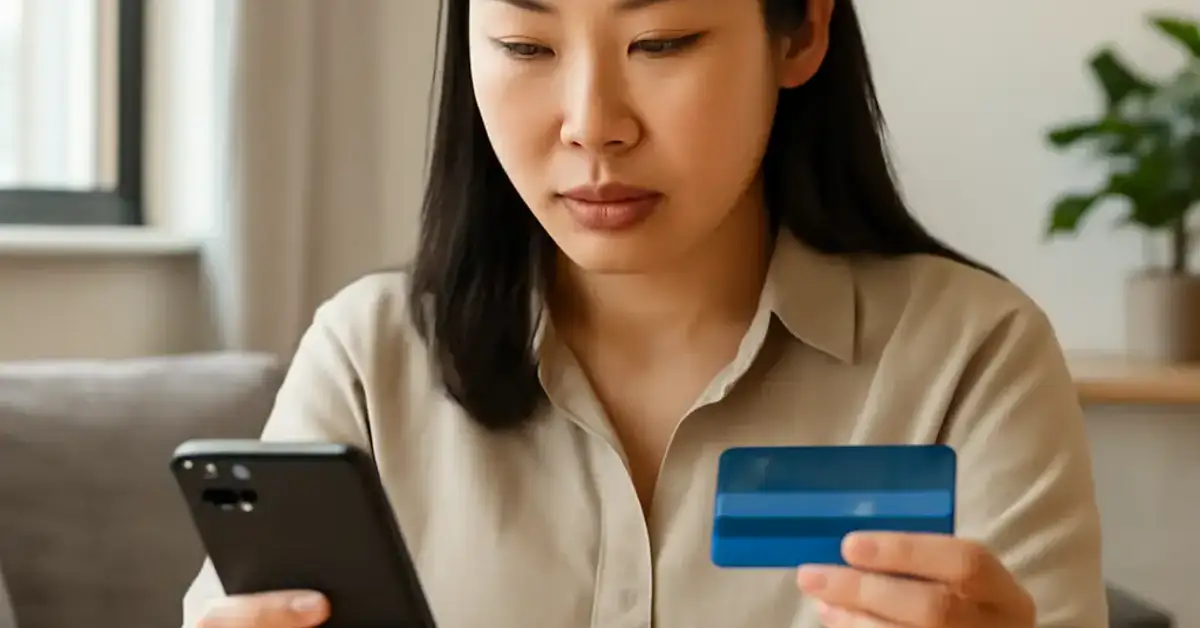
If you are new to online gaming or digital wallets, sending money from GCash to a platform like BossPhil can feel confusing. Different apps, different account numbers, and different fees—it is easy to send funds to the wrong place or miss a step. This BossPhil GCash deposit guide breaks everything down into plain steps so you can reload with confidence. For a related guide, see PhilBos Free 100 GCash Guide: Easy Deposit and Withdrawal Steps.
Beyond just the steps, you will learn the exactly minimum amount (₱500), the service fee (₱10 to ₱20 depending on your GCash level), and how long it usually takes for the deposit to reflect in your BossPhil account. No guesswork, no wasted money.
What You Should Have Ready Before You Start
Before you open your GCash app, make sure you have these three things ready. Missing any one of them is the number one reason beginners get stuck.
- Verified GCash account. Unverified accounts cannot send money to merchants. Your GCash must be fully verified with a valid ID and your mobile number registered under your real name.
- BossPhil account credentials. You need your BossPhil username or registered mobile number handy. The system will ask for this during the deposit process.
- Enough GCash balance. You need at least ₱520 to cover the minimum deposit of ₱500 plus the transaction fee. Always check your GCash balance before you begin.
Step-by-Step BossPhil GCash Deposit Guide: 6 Easy Steps
This section walks you through every click and tap. Follow each step in order, and you will have your deposit completed in under two minutes.
Step 1: Open Your GCash App and Log In
Launch GCash on your smartphone. Enter your MPIN or use biometric authentication to log in. Make sure you are on a stable mobile data or Wi-Fi connection—a dropped connection mid-transaction can cause delays.
Step 2: Tap “Pay Bills” or “Send Money”
On the GCash home screen, look for the Pay Bills icon. That is the option you need. Do not use “Send Money” to a friend—BossPhil processes deposits through the bills payment system. Inside Pay Bills, scroll down the list of billers or use the search bar to find “BossPhil.” If you cannot find it, tap “Others” and manually enter BossPhil as the biller. For a related guide, see BossPhil Bonus Guide: Avoid These 5 Mistakes With Free ₱100 Offer.
Step 3: Enter Your BossPhil Account Details
Select BossPhil as the biller. A form will appear asking for your BossPhil username or registered mobile number. Type it carefully—one wrong digit and the deposit will go to the wrong account. Double-check the spelling or number before you proceed.
Step 4: Input the Deposit Amount
Enter the amount you want to deposit. The minimum is ₱500. There is no maximum daily limit listed, but GCash has a per-transaction cap of ₱100,000 for verified users. If you want to deposit more than ₱10,000, consider splitting it into two separate transactions to avoid any temporary hold.
Step 5: Review and Confirm the Transaction
GCash will show you a summary screen: biller name (BossPhil), account number, amount, and the service fee. The fee is usually ₱10 for standard transfers and ₱20 for express transfers. Standard takes up to 24 hours; express credits your BossPhil account within minutes. Choose express to avoid waiting. Tap Confirm.
Step 6: Save Your Reference Number
After a successful transaction, GCash displays a reference number. Screenshot this page or copy the reference number into your notes. If the deposit does not appear in BossPhil within the expected time, customer support will ask for this reference number to trace your funds.
Common Mistakes Beginners Make with the BossPhil GCash Deposit Guide
Even with clear steps, some errors keep happening. Here are the three most frequent mistakes and how to avoid them.
Mistake 1: Typing the Wrong BossPhil Username
A single incorrect character in your BossPhil username or mobile number means your deposit lands in someone else’s account. Always double-check the information before hitting Confirm. If you are unsure, log into your BossPhil account first and copy your username from your profile page.
Mistake 2: Forgetting the Service Fee
Many beginners send exactly ₱500, forgetting that GCash charges a fee on top. If your balance is only ₱500, the transaction will fail because GCash needs to deduct ₱510 (₱500 + ₱10 fee). Always keep at least ₱20 buffer in your GCash wallet.
Mistake 3: Choosing Standard Transfer When You Need It Now
Standard transfers can take up to 24 hours. If you are depositing to play immediately, select the express option. The extra ₱10 is worth not waiting a full day.
Useful Resources
For further details on GCash transaction limits and fees, visit the official GCash help center. To learn more about BossPhil account features and promotions, check the BossPhil main portal.
Frequently Asked Questions About BossPhil GCash deposit guide
What is the minimum deposit amount for BossPhil via GCash?
The minimum deposit amount is ₱500. You also need at least ₱10 extra for the GCash service fee, so a total of ₱510 should be in your wallet.
How long does a BossPhil GCash deposit take?
Standard transfers take up to 24 hours. Express transfers usually reflect within 5–30 minutes. Choose express if you want immediate credit.
What is the GCash service fee for BossPhil deposits?
The standard service fee is ₱10. The express service fee is ₱20. These fees are deducted from your GCash balance after the deposit amount.
Can I deposit to BossPhil using a non-verified GCash account?
No, you need a fully verified GCash account to send money to BossPhil. Unverified accounts have a sending limit of ₱0 and cannot pay bills.
What should I do if my deposit does not show up in BossPhil?
First, check your GCash transaction history for the reference number. If the amount was deducted, contact BossPhil support with that reference number to trace the deposit.
Is there a daily limit for GCash deposits to BossPhil?
GCash has a per-transaction limit of ₱100,000 for verified users. There is no published daily limit, but splitting large amounts into smaller transactions is safer.
Can I deposit using a credit card linked to GCash?
Yes, as long as you have enough credit limit and GCash allows cash-in from credit cards. The process is the same—select Pay Bills and choose BossPhil.
What does the BossPhil GCash deposit guide mean by “biller”?
A biller is any merchant or service provider you can pay via GCash Pay Bills. BossPhil is listed as a biller under the Gaming or Entertainment category.
Do I need to create a BossPhil account before depositing?
Yes, you must have an existing BossPhil account with a username or registered mobile number. You cannot deposit to BossPhil without an active account.
Can I cancel a BossPhil GCash deposit after sending it?
Once the transaction is confirmed, GCash cannot reverse it. If you made a mistake, contact BossPhil support immediately—they may be able to help if the deposit has not yet been credited.
What are the best days to deposit using BossPhil GCash?
Weekdays during business hours (8 AM to 5 PM) generally process fastest. Weekend deposits using standard transfer may take longer to reflect.
How do I know if my GCash deposit to BossPhil went through?
You will receive a confirmation screen in GCash with a reference number. Also log into your BossPhil account to check your balance—it should update within minutes for express transfers.
Is there a maximum deposit amount per transaction?
GCash allows up to ₱100,000 per transaction for verified users. If you need to deposit more, make multiple transactions.
Can I use other GCash services like GCredit or GGives to deposit to BossPhil?
No, you can only use your GCash cash-in balance. GCredit and GGives are separate credit services that cannot be used for bill payments to BossPhil.
What happens if I enter the wrong BossPhil username?
The deposit will be applied to the wrong account. GCash cannot retrieve the funds. Always double-check the username before confirming the transaction.
Does BossPhil charge any fee for GCash deposits?
No, BossPhil does not charge any deposit fee. The only fee is the GCash service fee (₱10 standard, ₱20 express).
Can I deposit to BossPhil from outside the Philippines?
No, GCash is available only within the Philippines. You need to be physically in the country with a Philippine mobile number to use GCash.
What is the BossPhil GCash deposit guide’s most important tip?
Always choose the express transfer option and save your reference number. These two habits prevent delays and give you a safety net if something goes wrong.
Can I deposit using a joint GCash account?
GCash does not have joint accounts. Only the account owner can send money to BossPhil. If you share a mobile number, ensure it is registered under the correct name.
How do I update my BossPhil account details for deposits?
Log into your BossPhil account, go to Profile or Account Settings, and update your username or mobile number. Changes take effect immediately for future deposits.

Sachi Higuchi is an SEO-driven iGaming content specialist with over five years of hands-on experience in search engine optimization and digital content strategy. She specializes in competitive niche markets, applying data-backed keyword research, on-page optimization, and technical SEO principles to improve organic visibility and long-term search performance.
Her expertise extends to in-depth analysis of online casino platforms, bonus structures, payment systems, and player-focused features across Asian markets. Sachi is known for delivering structured, transparent, and research-based content that balances search performance with user trust.
With a strong foundation in responsible gaming principles and compliance-aware writing, she prioritizes accuracy, clarity, and informed decision-making—ensuring her work meets both industry standards and the evolving expectations of digital audiences.